> For the complete documentation index, see [llms.txt](https://docs.wrangle.io/llms.txt). Markdown versions of documentation pages are available by appending `.md` to page URLs; this page is available as [Markdown](https://docs.wrangle.io/reporting/ask-wrangle.md).
# Ask Wrangle
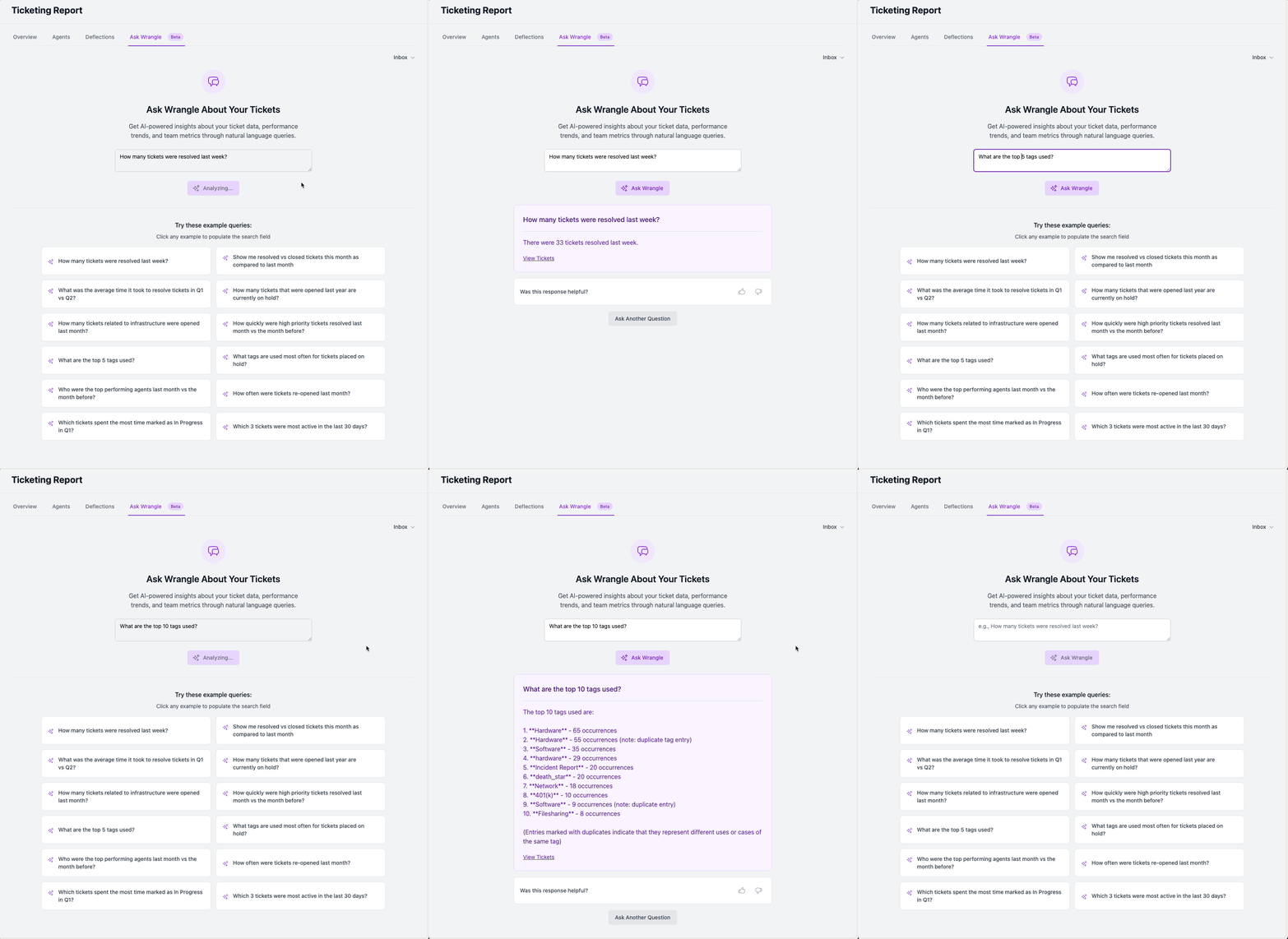
If you don't see a specific metric you're interested in within the default reports, you can Ask Wrangle a question about your tickets using natural language.
Click one of the example questions, or write your own
Wrangle's [AI powered reporting engine](https://slack.wrangle.io/reports/tickets/ask-wrangle) will analyze your tickets and provide you with a response, and link to view tickets that were used to generate the response.
After you receive an answer, you'll be able to rate whether or not the response was helpful; ratings help Wrangle to improve your reports over time. Click the thumbs up or thumbs down buttons to submit your feedback:
Use the inbox filter to select specific inboxes to use for reports, or leave it empty to ask questions about all inboxes.
{% hint style="info" %}
Users can Ask Wrangle about tickets within inboxes where they have a role of [Observer](/tickets/setting-up-your-inbox/roles-and-permissions.md) or higher.
{% endhint %}
Ask Wrangle is part of our [Scale Plan](https://www.wrangle.io/pricing). If you're a current Pro customer and interested in taking it for a spin, contact us at `support@wrangle.io`.