> For the complete documentation index, see [llms.txt](https://docs.wrangle.io/llms.txt). Markdown versions of documentation pages are available by appending `.md` to page URLs; this page is available as [Markdown](https://docs.wrangle.io/tickets/setting-up-your-inbox/tags.md).
# Tags
Enrich your ticket data using tags, and streamline the tagging process with auto-tagging.
Agents can add ticket tags from both the [inbox settings](/tickets/setting-up-your-inbox/tags.md) and when working on a ticket directly in Slack or [on the web](#managing-tickets-on-the-web). Use tags to understand what themes are responsible for the highest ticket volume.
{% hint style="info" %}
When to use tags vs. [form fields](/tickets/setting-up-your-inbox/forms.md):\
\
If it's data your requester knows at the time they create their ticket, consider using a form field. If it's data that's uncovered while the agent works on the ticket, consider using a tag.
{% endhint %}
You can view all your inbox tags in the Inbox Settings under "Tags."
## Auto-tagging
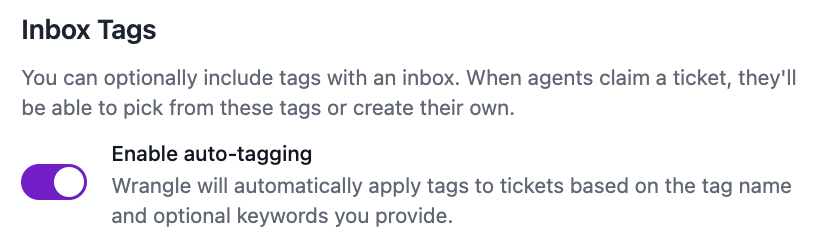
To streamline your tagging process and take the guesswork off agents' plates, you can enable auto-tagging.
With auto-tagging enabled, Wrangle will automatically apply the tag whenever the message used to create the ticket includes the tag's name.\
\
Optionally, you can also define a list of additional keywords to either include or exclude when auto-tagging a ticket.
Inbox tags and their corresponding keywords
To add keywords to an existing tag, click on the tag name. Otherwise, click "Add Tag" to create a new tag with keywords.
Add optional keywords to include or exclude when tagging a ticket.
In the above example, our tag name is "SAML," our keywords to include are "Okta" and "SSO," and our keyword to exclude is "OIDC." Let's look at some sample ticket messages to see how auto-tagging works with each:
* *"Getting a `400 saml_invalid_user_id_mapping` error"* - This will be auto-tagged as "SAML" because the error code in the ticket message includes the tag name "SAML"
* *"Need help with SSO"* - This will be auto-tagged as "SAML" because the ticket message includes the keyword "SSO"
* *"Can someone explain how Okta works with OIDC apps?"* - This will not be auto-tagged as "SAML," because even though it includes the keyword "Okta," it also include the exclusion keyword "OIDC"