> For the complete documentation index, see [llms.txt](https://docs.wrangle.io/llms.txt). Markdown versions of documentation pages are available by appending `.md` to page URLs; this page is available as [Markdown](https://docs.wrangle.io/tickets/setting-up-your-inbox/ticket-lifecycle/ticket-assignment.md).
# Ticket Assignment
Make it easier to automatically assign new tickets to an inbox agent and to ensure your requesters and followers are kept in the loop with assignment notifications.
When an agent replies in the thread, the ticket is automatically assigned to them.
## Ticket Assignment
**Auto-assign new tickets to an agent:** Enables round-robin assignment for all new tickets. Wrangle distributes tickets equally across all inbox agents as they're created.
Use the "Include inbox admins in auto-assignment" toggle to control whether admins are included in the rotation. When disabled, only users with the agent role receive auto-assigned tickets. Note: Admins can still be manually assigned to tickets even when excluded from auto-assignment.
**Assign ticket to the first agent who replies:** Automatically assigns the ticket to the first agent who replies in an unclaimed ticket thread. Instead of agents manually claiming tickets, they simply add a comment to claim it.
## Requester & Follower Notifications
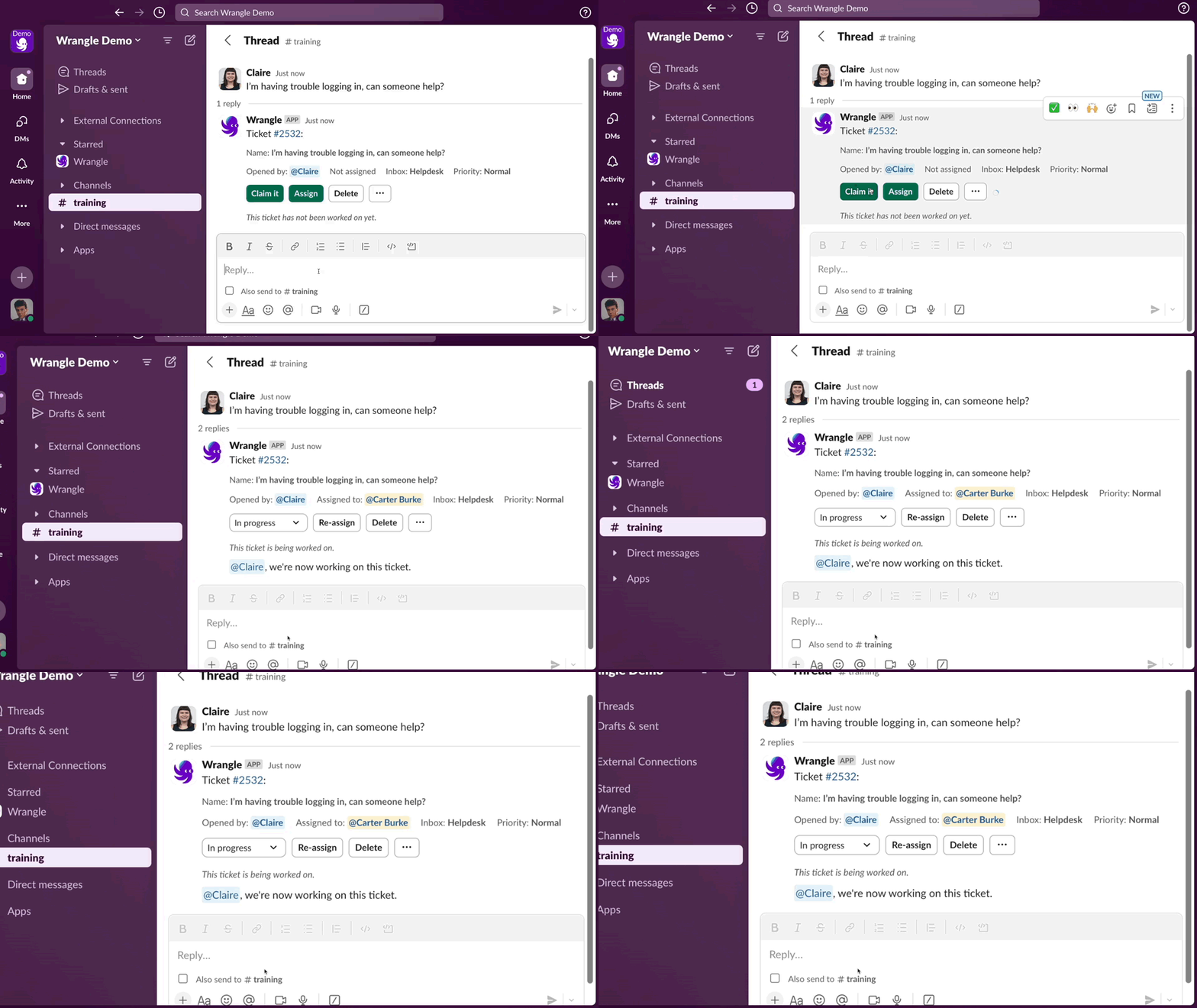
If agents claim tickets without commenting, or if queue managers assign tickets directly, requesters won't see any activity in the thread. Enable "Notify when ticket is first assigned" in [Ticket Notifications](https://docs.wrangle.io/~/revisions/e6VuSVo8BqJYP35xOoa4/tickets/setting-up-your-inbox/settings/ticket-notifications) settings to keep stakeholders informed.
{% hint style="info" %}
If you have agent first response time [SLAs](/tickets/setting-up-your-inbox/ticket-slas.md) enabled, this assignment notification counts as the first response.
{% endhint %}
When an agent claims the ticket, Wrangle notifies the requester.