> For the complete documentation index, see [llms.txt](https://docs.wrangle.io/llms.txt). Markdown versions of documentation pages are available by appending `.md` to page URLs; this page is available as [Markdown](https://docs.wrangle.io/tickets/setting-up-your-inbox/ticket-slas.md).
# Ticket SLAs
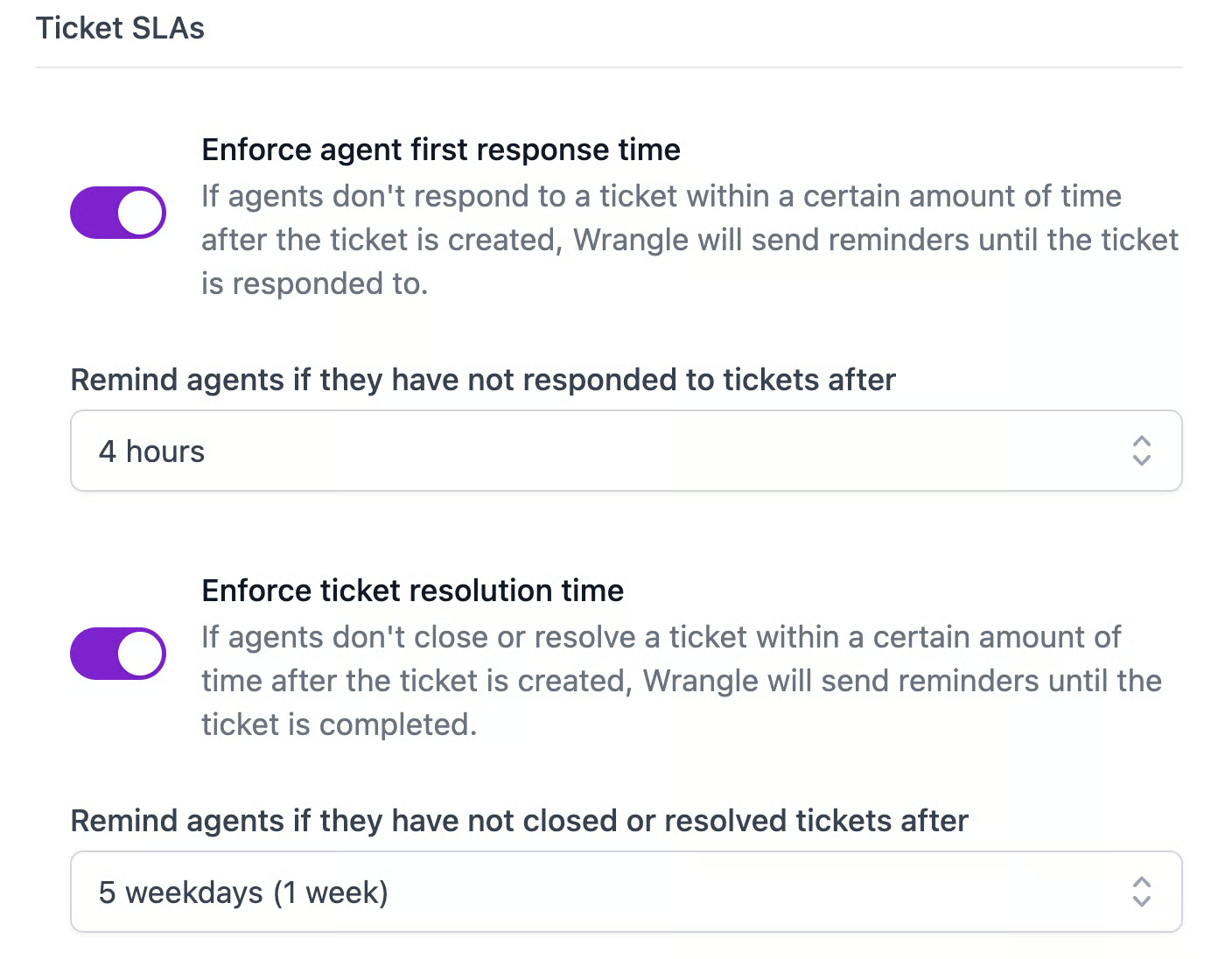
Use ticket SLAs to enforce both first response time and ticket resolution time.
SLAs can be as short as 15 minutes or as long as 10 working days (two weeks). Time spent outside of workspace-level [working hours](/account-administration/working-hours.md) will not count against your SLAs, nor will time spent in the `On Hold` status.
Once an SLA has been breached, Wrangle will at-mention your inbox agents and inbox admins in the ticket thread.
***
### Use Automations to ensure SLA accuracy
Sometimes agents may forget to place a ticket On Hold or update the status of a ticket. With the [Waiting for Reply automation](/tickets/setting-up-your-inbox/ticket-lifecycle/ticket-statuses.md#waiting-for-reply-automation), a ticket's status will automatically be updated to "Waiting for Reply" every time the assigned agent posts a message in the ticket thread, and will automatically go back to "In Progress" when the requester replies.
***
### Who receives SLA pings?
By default, both **Agents** and **Inbox Admins** in an inbox receive SLA reminder notifications when tickets are late.
* If a ticket is **assigned**, only the assigned agent(s) receive pings.
* If a ticket is **unassigned**, Wrangle pings all Agents and Admins in the inbox (by default).
### Excluding admins from SLA reminders
A toggle in Inbox Settings → Ticket SLAs controls this:
**"Include inbox admins in SLA reminders"**
* **On (default):** Both Agents and Admins receive SLA pings for unassigned late tickets.
* **Off:** Only Agents receive SLA pings. Inbox Admins are excluded from SLA notifications entirely.
{% hint style="info" %}
**What about account admins?** Account (workspace-level) admins have access to all non-confidential inboxes but are not inbox members. Because they are not added as inbox members, they never receive SLA pings — regardless of inbox SLA settings.
{% endhint %}