> For the complete documentation index, see [llms.txt](https://docs.wrangle.io/llms.txt). Markdown versions of documentation pages are available by appending `.md` to page URLs; this page is available as [Markdown](https://docs.wrangle.io/tickets/setting-up-your-inbox/ticket-notifications.md).
# Ticket Notifications
Control when Wrangle notifies requesters and followers about ticket updates in Slack, keeping everyone informed without notification overload.
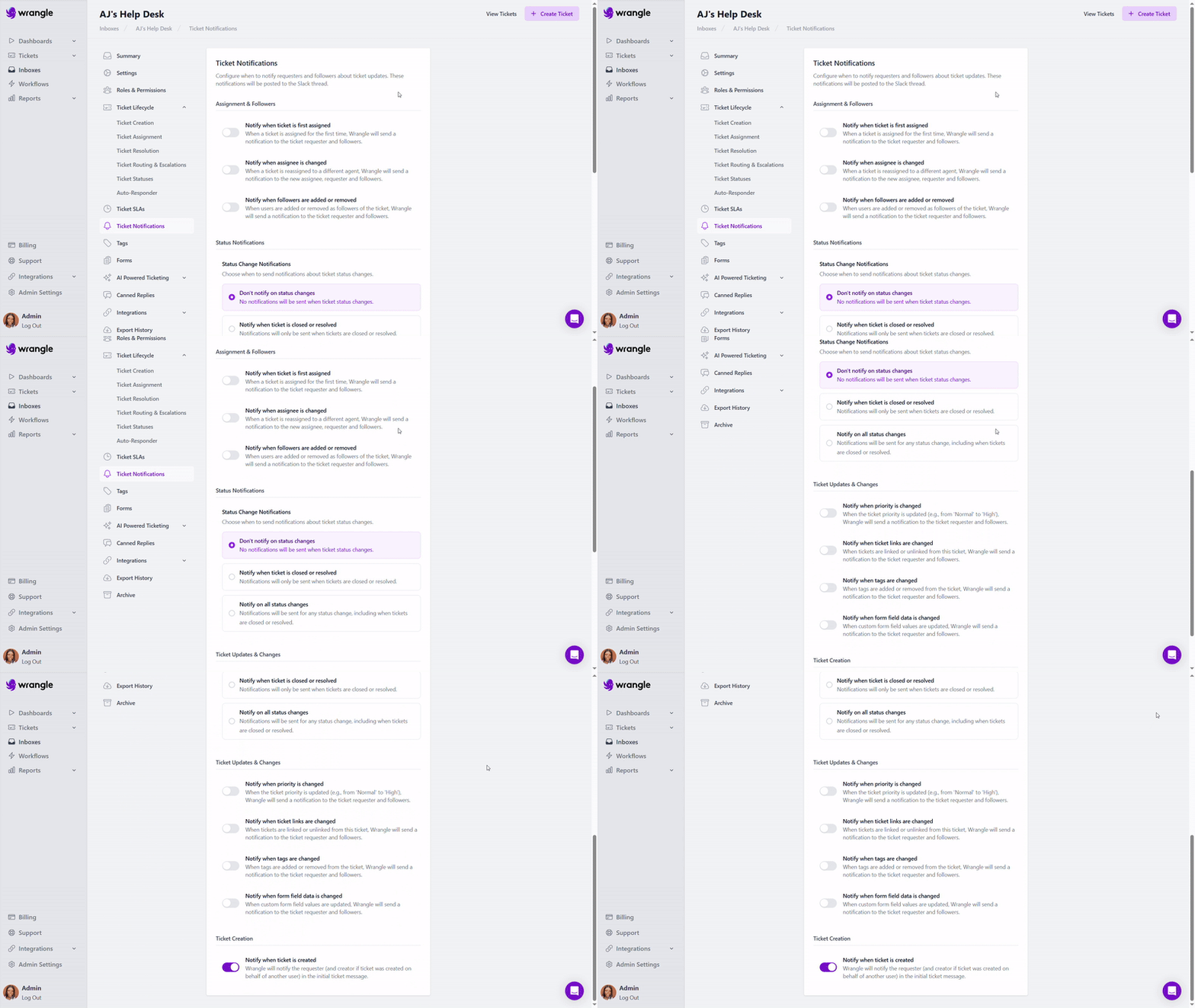
Ticket notifications are posted directly to the Slack thread where the ticket was created. You can configure which events trigger notifications to help your team and requesters stay in sync without unnecessary interruptions.
### Configuring Ticket Notifications
**To adjust notification settings:**
1. Navigate to **Inboxes** and select the inbox you want to configure
2. Click **Ticket Notifications** in the left sidebar
3. Toggle the notifications you want to enable
4. Settings are saved automatically
### Notification Options
#### Assignment & Followers
**Notify when ticket is first assigned:** When a ticket is assigned for the first time, Wrangle sends a notification to the ticket requester and followers.
**Notify when assignee is changed:** When a ticket is reassigned to a different agent, Wrangle sends a notification to the new assignee, requester, and followers.
**Notify when followers are added or removed:** When users are added or removed as followers of the ticket, Wrangle sends a notification to the ticket requester and followers.
#### Status Notifications
Choose when to send notifications about ticket status changes:
**Don't notify on status changes:** No notifications will be sent when ticket status changes. Use this option to minimize notification noise if status updates happen frequently.
**Notify when ticket is closed or resolved:** Notifications will only be sent when tickets reach their final state (closed or resolved). This is useful if you want to keep requesters informed of resolution without notifying them of every status change along the way.
**Notify on all status changes:** Notifications will be sent for any status change, including when tickets are closed or resolved. Use this option when requesters and followers need full visibility into ticket progress.
#### Ticket Updates & Changes
**Notify when priority is changed:** When the ticket priority is updated (e.g., from 'Normal' to 'High'), Wrangle sends a notification to the ticket requester and followers.
**Notify when ticket links are changed:** When tickets are linked or unlinked from this ticket, Wrangle sends a notification to the ticket requester and followers.
**Notify when tags are changed:** When tags are added or removed from the ticket, Wrangle sends a notification to the ticket requester and followers.
**Notify when form field data is changed:** When custom form field values are updated, Wrangle sends a notification to the ticket requester and followers.
***
### Best Practices
**Start minimal, add as needed:** Begin with fewer notifications enabled and add more as you receive feedback from your team and requesters. It's easier to add notifications than to recover from notification fatigue.
**Consider your audience:** Internal support teams might want more granular updates (all status changes, priority changes), while customer-facing inboxes might benefit from a lighter touch (only resolved/closed notifications).
**Match notifications to your workflow:** If your team frequently updates tags or priorities during triage, those notifications might create noise. Enable them only if requesters need that visibility.
**Align with SLAs:** If you have strict [SLAs](https://docs.wrangle.io/tickets/setting-up-your-inbox/ticket-slas), enabling assignment and status change notifications helps keep requesters informed and builds trust through transparency.